What Is an AI API Gateway? Routing & Usage
Learn how an AI API gateway centralizes authentication, model access, routing, fallback, usage records, and cost without hiding protocol boundaries.
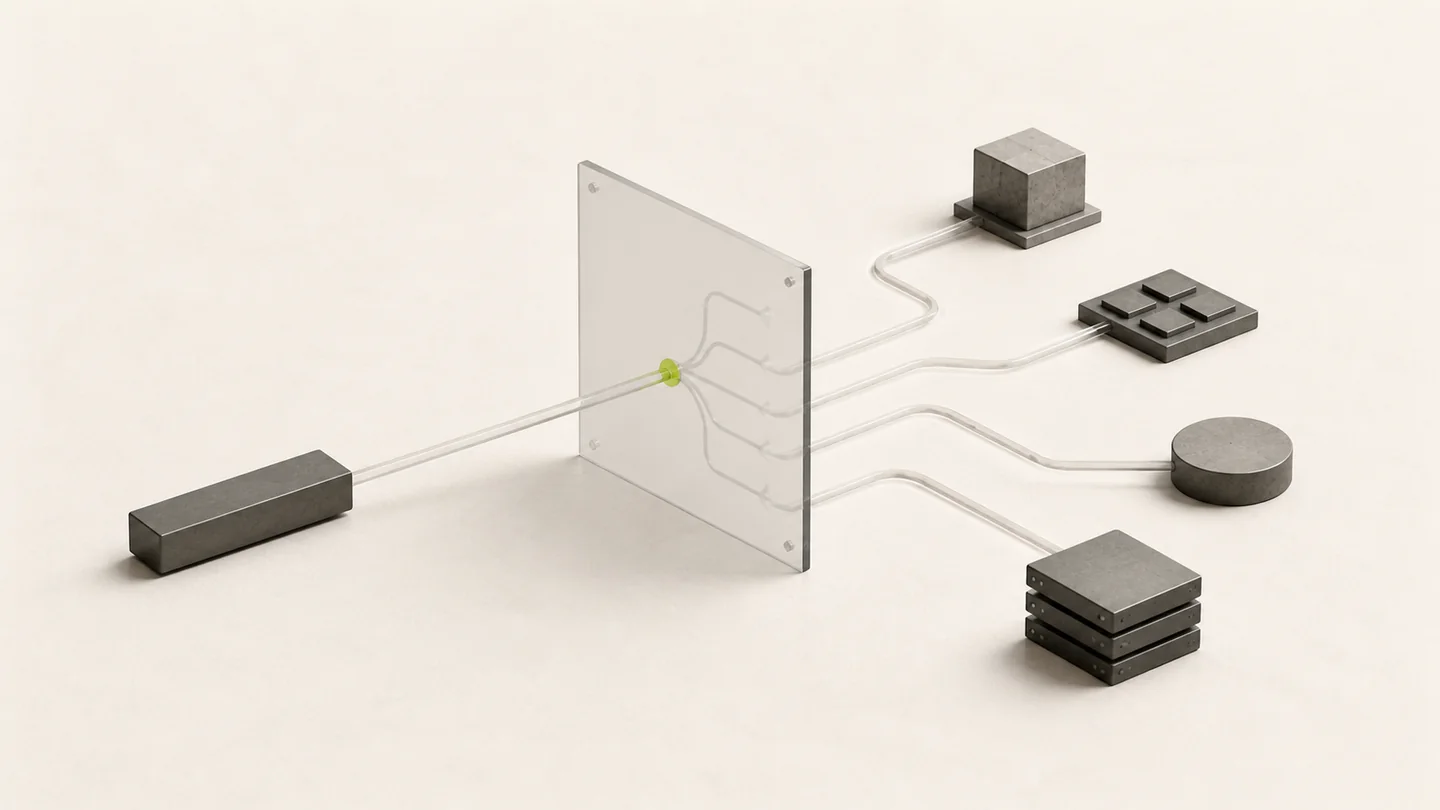
An AI API gateway is a service boundary between an application and one or more model backends. The application sends a request to the gateway; the gateway applies authentication and access policy, selects an eligible route for the requested model, forwards the request, and records the result.
That definition is more useful than saying “one API for every model.” A gateway can centralize the parts that should be consistent, but it does not make every model or provider support the same protocol, tools, input types, or latency profile.
Where an AI API gateway sits
A typical request path has six stages:
| Stage | Responsibility |
|---|---|
| Client | Chooses a model, protocol, input, and streaming mode |
| Compatible endpoint | Accepts the selected wire format, such as Chat Completions or Responses |
| API key policy | Checks account access, quota, expiration, model limits, IP rules, and routing configuration |
| Model route | Selects an eligible model group and channel without changing the requested contract |
| Model backend | Executes the request and returns protocol-specific output |
| Usage record | Connects status, model, group, tokens, timing, and cost to the request |
In Modelflare, the public base URL is https://modelflare.dev/v1. Clients can use compatible endpoints while keeping model availability, protocol support, and current pricing discoverable through Models & Pricing.
What a gateway can centralize
Authentication and key policy
Applications use one Modelflare API key instead of putting several service provider credentials into every deployment. Separate keys can be created for production, development, agents, and automation so each workload has its own quota, expiration, model access, IP rules, and routing policy.
Model discovery
The authenticated model list shows the model IDs available to the current key:
curl -sS https://modelflare.dev/v1/models \
  -H "Authorization: Bearer $MODELFLARE_API_KEY"
This is an access check, not a universal compatibility promise. A returned model still needs to support the endpoint and features used by the client.
Routing and fallback
A regular API key can use one primary model group and ordered fallback groups. A Smart API Key evaluates the concrete groups available to the account according to its routing strategy. In both cases, routing chooses where the requested model is served; it should not silently replace that model with a different one.
For production design, see Reliable AI API Routing.
Usage and cost visibility
A gateway can connect the completed request to its selected model and group. Modelflare usage logs expose request status, token usage, response timing, and cost so an operator can investigate one request instead of estimating from a monthly total. The accounting layers are described in AI API Cost Tracking.
What remains model- and protocol-specific
An AI API gateway does not erase the service provider contract. Verify these boundaries separately:
- Endpoint support: a model may support Chat Completions, Responses, Anthropic Messages, Gemini-style requests, or only a subset.
- Streaming events: Chat Completions chunks and Responses events are different client contracts.
- Tools and structured output: schemas and supported tool types can vary by model and provider.
- Multimodal input: image, audio, files, and other inputs require explicit model and endpoint support.
- Provider-specific fields: some compatible endpoints intentionally pass private controls through rather than translating them.
- Latency and limits: route availability does not make every backend share the same first-output time or request limit.
The safest migration starts with the OpenAI-Compatible API Guide and tests the exact features used by the application.
A practical gateway evaluation
Evaluate a gateway with the real workload, not one short prompt:
- Create a dedicated API key with the intended quota and routing policy.
- Retrieve /v1/models and select a model visible to that key.
- Confirm the supported API format on the live catalog.
- Send one non-streaming request and preserve the returned status.
- Test streaming, tools, structured output, and multimodal input separately when required.
- Review the resulting usage record for model, group, tokens, timing, and cost.
- Exercise the fallback path without changing the requested model or protocol.
- Repeat with representative context size and client timeouts before production cutover.
When a gateway is a good fit
An AI API gateway is useful when a team needs consistent key management, access to several model families, explicit routing policy, centralized usage records, or a stable integration boundary for agents and applications.
A direct provider integration can still be appropriate when one application depends on a provider-only feature that has no compatible gateway contract, or when the team intentionally wants to own provider credentials, routing, settlement, and diagnostics itself.
The decision is not “gateway or provider” in the abstract. It is whether the gateway preserves the exact protocol and features the workload needs while reducing operational complexity around access, routing, and evidence.
Frequently asked questions
Does one gateway mean every model uses the same request format?
No. A gateway can expose several compatible formats, but the client, endpoint, model, and service provider provider must still agree on one contract. Check the catalog before switching an existing request between Chat Completions and Responses.
Does fallback automatically choose a different model?
Modelflare fallback groups are routes for the requested model. They are not an instruction to substitute an arbitrary model. Every candidate group must expose the same model and protocol capabilities required by the request.
What should be measured before production?
Measure authentication success, model access, non-streaming output, first effective streaming output, total response time, usage, cost, and failure behavior. A successful health-check prompt alone does not prove production compatibility.